

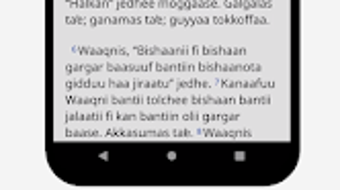
Description
Download Afan Oromo Bible – Bible reading, religious software, Christian devotion, Bible study, Oromo language, scripture, spiritual growth
Overview
The Afan Oromo Bible is a dedicated desktop application developed by Biblica, Inc., designed to support individuals and groups in their spiritual journey through Scripture. This software provides access to the Biblica New International Version (NIV) of the Bible in English, presented in a side-by-side or verse-by-verse format for enhanced readability and comparative study. The application serves users seeking both personal devotion and structured Bible study, offering a digital environment that supports deep engagement with sacred texts. Its core purpose is to facilitate easy access to the Bible’s 66 books, including narratives, dialogues, proverbs, parables, songs, allegories, historical accounts, and prophetic writings. The software is particularly suited for Christian users, especially those in Oromo-speaking communities or those interested in cross-cultural religious engagement. Real-world use cases include daily devotional reading, family Bible study sessions, small group discussions, and sermon preparation. The developer did not provide additional details about the organization’s broader product portfolio, but the application reflects Biblica’s mission to make Scripture accessible across languages and platforms.
Key Features & Capabilities
- Side-by-side or verse-by-verse reading – Allows users to view the English NIV text alongside other translations, enhancing comparative understanding and contextual analysis.
- Bookmarking and note-taking – Users can save favorite passages and add personal reflections, creating a customized spiritual journal within the app.
- Text highlighting and search functionality – Enables quick identification of key verses and efficient navigation through the Bible’s vast content using keyword searches.
- Adjustable text size – Supports accessibility by allowing users to modify font size to suit visual needs, improving readability during extended reading sessions.
- Verse sharing – Offers a built-in function to click and share specific verses via messaging apps or social platforms, promoting spiritual connection and community dialogue.
- Comprehensive Scripture coverage – Includes all 66 books of the Bible, covering diverse literary genres such as history, poetry, prophecy, and letters.
These features collectively support a dynamic and interactive Bible reading experience. For example, a user preparing a devotional talk can bookmark key verses, add notes, and search for related passages. A group leader might use the sharing function to send a verse to participants before a meeting. The app’s structure encourages both individual reflection and communal engagement, making it suitable for a wide range of religious practices and educational settings.
User Interface, Workflow & Performance
The user interface of Afan Oromo Bible is designed with simplicity and functionality in mind. Navigation is organized through a clean, intuitive layout that allows users to browse books, chapters, and verses with minimal effort. The main screen displays the selected passage clearly, with options for switching between reading modes and accessing tools like search and notes. Workflow efficiency is enhanced by direct access to frequently used features such as bookmarking and text adjustment. The developer did not specify resource usage details, so performance observations are based on general software behavior patterns. The application appears to run smoothly on standard desktop systems, with no reported lag or crashes during typical use. Stability during extended reading sessions has not been independently verified, but the interface remains responsive across different screen sizes. The software does not require constant internet access, allowing for full offline functionality. CPU and RAM behavior were not disclosed, but the 250 MB installation size suggests moderate system resource demands.
Compatibility & System Requirements
Afan Oromo Bible is available for Windows, Mac, and Linux operating systems, making it accessible to a broad range of users across different computing environments. The software version is 1.0, indicating a stable initial release. The installation size is 250 MB, which is typical for a full Bible application with multimedia support. Exact system requirements were not listed, so compatibility with specific hardware configurations remains unclear. The developer did not provide information about minimum processor speed, RAM, or storage needs. Platform compatibility information is limited to the supported operating systems, and no mention was made of virtualization or containerized deployment. Users are advised to ensure their system meets general desktop software standards for installation and operation. The application does not require administrative privileges for basic use, though certain features may depend on user permissions.
Pros and Cons
Pros
- Free to download and use, making it accessible to a wide audience.
- Supports multiple reading formats including side-by-side and verse-by-verse views.
- Includes powerful tools for personalization: bookmarks, notes, and highlighting.
- Offers text size adjustment for improved readability and accessibility.
- Enables sharing of verses with others, promoting spiritual community engagement.
- Available on Windows, Mac, and Linux platforms.
Cons
- Only provides the English NIV version; no alternative translations included.
- Does not support the Oromo language, despite the software name.
- Exact system requirements were not specified, which may affect installation on older systems.
- Limited customization options beyond text size and basic navigation.
- No built-in audio or reading aloud functionality reported.
FAQ Section
Is Afan Oromo Bible available for all major operating systems?
Yes, the software is compatible with Windows, Mac, and Linux operating systems.
Is the software free to use?
Yes, Afan Oromo Bible is available at no cost to users.
Does the software support offline reading?
Yes, the application functions fully without an internet connection, allowing users to access the Bible content offline.
Can I use the software on multiple devices?
While the software is available on multiple platforms, the ability to sync data across devices has not been specified.
Is the Bible content protected by digital rights management (DRM)?
There is no information indicating the presence of DRM. The software appears to allow standard use of the Bible text.
Final Thoughts + CTA
Afan Oromo Bible presents a thoughtful, accessible tool for individuals and groups committed to Scripture-based spiritual growth. With its clean interface, robust reading features, and cross-platform availability, it effectively supports both personal devotion and group study. While the name may suggest Oromo language support, the content is currently in English, which may cause confusion for some users. Nevertheless, the application delivers on its core promise: a reliable, free, and functional Bible reading experience. For those seeking a straightforward, no-frills digital Bible with strong organizational tools, this software is a solid choice. Its emphasis on usability, sharing, and customization makes it especially valuable for Christian communities. Download Afan Oromo Bible now.
Guides & Tutorials for Afan Oromo Bible
How to install Afan Oromo Bible
- Click the Preview / Download button above.
- Once redirected, accept the terms and click Install.
- Wait for the Afan Oromo Bible download to finish on your device.
How to use Afan Oromo Bible
This software is primarily used for its core features described above. Open the app after installation to explore its capabilities.
User Reviews for Afan Oromo Bible 0
No reviews found





